


Gone are the days of frantic note-taking during meetings. Google is elevating the experience with its new “Take Notes for Me” feature in Google Meet. This AI-driven tool automatically captures key points from your meetings, allowing you to focus fully on the discussion without worrying about missing important details. After the meeting, the notes are organized into a Google Docs file and attached to the calendar event, making them easily accessible for everyone in your organization.
What is the “Take Notes for Me” Feature?
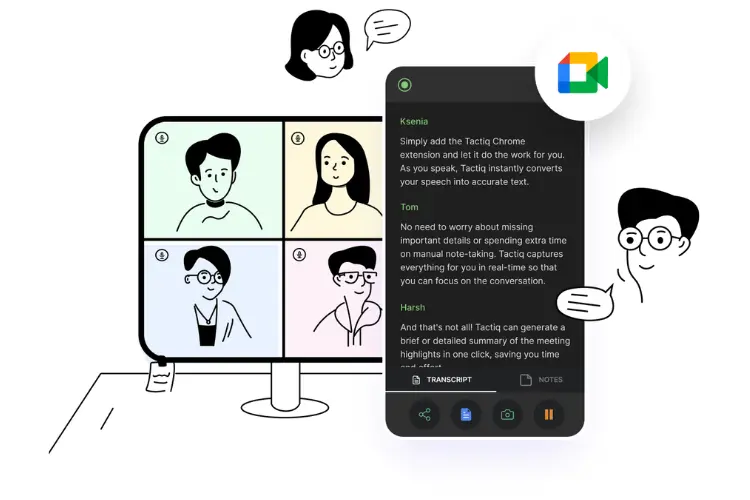
The “Take Notes for Me” feature in Google Meet automatically generates meeting notes, so participants can engage in discussions, collaboration, and presentations without the distraction of manual note-taking. Post-meeting, these notes are compiled into a Google Docs document and attached to the relevant calendar event. This ensures that participants within the same organization can easily access the notes, capturing and retaining important details for future reference.
How It Works

Once activated, this feature captures key points and summaries in real-time. For those who join late, a “summary so far” option allows them to quickly catch up. After the meeting, the notes are emailed to the organizer and any participants who opted for the feature, providing a convenient recap. If the meeting was recorded or transcribed, these recordings and transcripts are linked within the notes document, offering a comprehensive record.
The main advantage of this feature is that it allows users to remain engaged in meetings without the concern of missing crucial information. By automating note-taking, participants can concentrate on the discussion and collaboration, confident that the AI is handling the documentation. This feature is particularly useful for large or complex meetings where tracking all details can be challenging.
Availability and Setup

The “Take Notes for Me” feature is available to Google Workspace customers with Gemini Enterprise, Gemini Education Premium, or AI Meetings & Messaging add-ons. For administrators, this feature is enabled by default and can be controlled at the organizational unit (OU) or group level. End users can activate it through the Calendar invite, ensuring that meeting notes are automatically captured.
The feature will be rolled out gradually over up to 15 days to all users, including those with both Rapid and Scheduled Release domains. Google Meet’s “Take Notes for Me” feature is set to streamline the meeting process, helping users stay focused while AI manages note-taking.




Leave feedback about this