In today’s digital age where communication is integral to our daily routines, WhatsApp has risen as a prominent messaging platform, linking countless users globally. Despite its unmatched convenience and smooth communication features, the app also presents potential security threats that users should remain attentive to.
Given the exchange of personal and sensitive information on WhatsApp regularly, prioritizing the security of your account becomes essential. By implementing some of the WhatsApp security tips, you can protect your personal information better and maintain the privacy of your conversation.
Check out this list of the important tips that can help you enhance the security of your WhatsApp account –
1. Enable 2-Step Verification
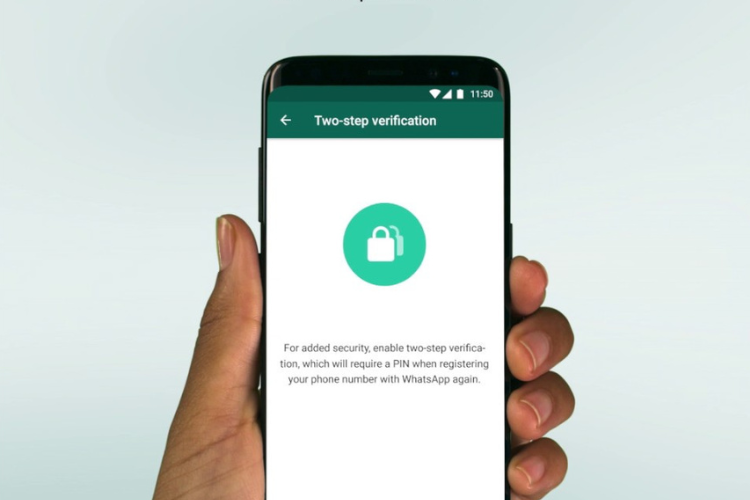

Enhance the security of your WhatsApp account by activating two-step verification. This additional layer of protection requires you to enter a unique code sent to your mobile number whenever you log in from a new device, adding an extra barrier against unauthorized access.
2. Use a Strong Password
Create a strong, distinctive password for your WhatsApp account. Avoid using easily guessable passwords and opt for a combination of letters, numbers, and special characters to enhance security.
3. Refrain from Sharing Personal Information

Be cautious about sharing personal information, such as your address, in WhatsApp conversations. Limit the information you disclose to trusted contacts to minimize the risk of identity theft or fraud.
4. Verify Contacts
Before engaging in conversations with new contacts on WhatsApp, verify their identity to ensure they are who they claim to be. Avoid interacting with suspicious or unknown contacts to reduce the risk of phishing attacks or scams.
5. Exercise Caution with Links
Be cautious of clicking on links sent via WhatsApp messages, especially from unknown sources. These links could lead to malicious websites or phishing attempts aimed at stealing your personal information.

6. Download Apps from Trusted Sources
Only download WhatsApp and related apps from official app stores, such as the Google Play Store or Apple App Store. Avoid downloading WhatsApp from third-party sources to reduce the risk of downloading malicious software.
7. Keep Your App Up-to-Date
Regularly update your WhatsApp app to the latest version to ensure you have the latest security patches and features. Updates often include fixes for vulnerabilities that could be exploited by cyber attackers.
8. Configure Privacy Settings

Take advantage of WhatsApp’s privacy settings to control who can view your profile information, status updates, and last-seen timestamp. Adjust these settings according to your preferences to maintain your privacy.
9. Enable Notifications
Enable notifications for WhatsApp messages to stay informed about any suspicious activity or unauthorized access to your account. Prompt notifications can alert you to potential security threats and lead you to take action.
10. Report Suspicious Activity
If you notice any unusual or suspicious activity on your WhatsApp account, such as unauthorized logins or messages sent without your consent, report it immediately to WhatsApp support and take steps to secure your account.