


At the WWDC (Worldwide Developers Conference) opening keynote on June 10, Apple unveiled macOS Sequoia, the latest version of its desktop operating system. This new OS promises a range of features aimed at boosting user productivity and enabling smarter workflows.
With functionalities ranging from iPhone Mirroring to Safari Highlights and advanced gaming capabilities, MacBook users are poised to enjoy a seamlessly integrated, efficient, and delightful experience with macOS Sequoia.
Here are five standout features that await MacBook users –
1. Enhanced iPhone Integration
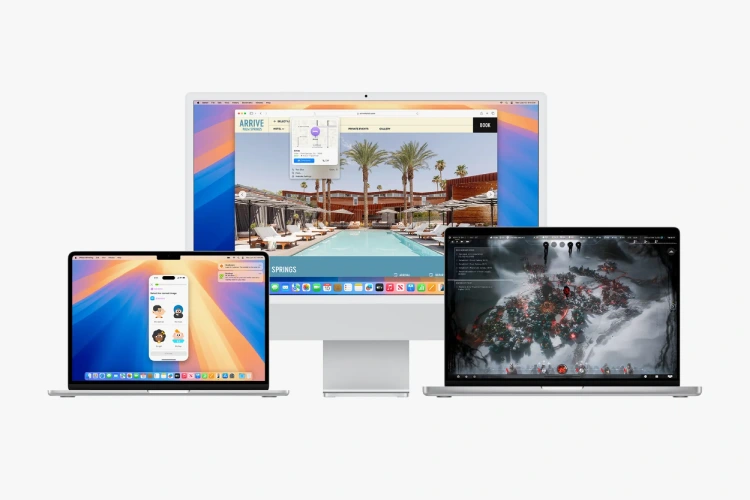
With macOS Sequoia, Continuity reaches new heights through iPhone Mirroring, enabling users to access and manage their iPhones directly from their Mac. This integration extends to mirroring the iPhone’s custom wallpaper and icons onto the Mac interface. Users can effortlessly navigate between Home Screen pages and interact with their favorite apps using the Mac’s keyboard, trackpad, and mouse The ability to drag and drop files between the iPhone and Mac adds further convenience. Noteworthy is the feature allowing iPhone notifications to appear on the Mac, enabling users to review and respond without needing to handle their phone.
2. Safari Enhancements Unveiled

Apple’s web browser, Safari, is poised for an upgrade with the introduction of the innovative Highlights feature. This addition aims to simplify the discovery of web content by providing quick links to relevant information such as directions, summaries, or additional details about people, music, movies, and TV shows. The enhanced Reader mode is designed to offer an immersive reading experience, presenting articles and summaries in a distraction-free environment, complete with a convenient table of contents for longer reads. Additionally, the new Viewer feature will automatically detect videos on a page and prioritize them, offering users seamless access to playback controls, including Picture in Picture functionality.
3. Enhanced Gaming Experience
macOS Sequoia is set to elevate gaming on Mac devices, introducing highly anticipated titles such as Assassin’s Creed Shadows and Frostpunk 2. The addition of the Personalized Spatial Audio feature will create a more immersive gaming environment, while reduced audio latency with AirPods Pro (2nd generation) will enhance responsiveness. Improvements to Game Mode assure smoother frame rates and overall better performance. Moreover, the updated Game Porting Toolkit 2 enables developers to efficiently bring advanced games to the Mac platform, ensuring a richer gaming library for Mac users.
4. Enhanced Window Tiling for Better Organization

macOS Sequoia introduces enhanced window-tiling functionality to help users stay organized. By dragging a window to the edge of the screen, macOS Sequoia suggests a tiled position, allowing users to quickly arrange windows side by side or in corners to maximize screen space. This feature is enhanced with new keyboard shortcuts and menu options, making it even easier to organize and manage multiple apps and windows on the Mac desktop.
5. Enhanced Video Conferencing Capabilities

macOS Sequoia is set to revolutionize video conferencing with a host of new features. One such feature is presenter preview, allowing users to preview what they are about to share before broadcasting it on apps like FaceTime and Zoom. Additionally, users will have the ability to apply custom backgrounds—including color gradients, system wallpapers, or personal photos—during calls. Leveraging Apple’s advanced segmentation technology, users can rest assured they will always look their best, regardless of the background chosen. These updates are poised to elevate remote meetings, making them more professional and engaging than ever before.






Leave feedback about this